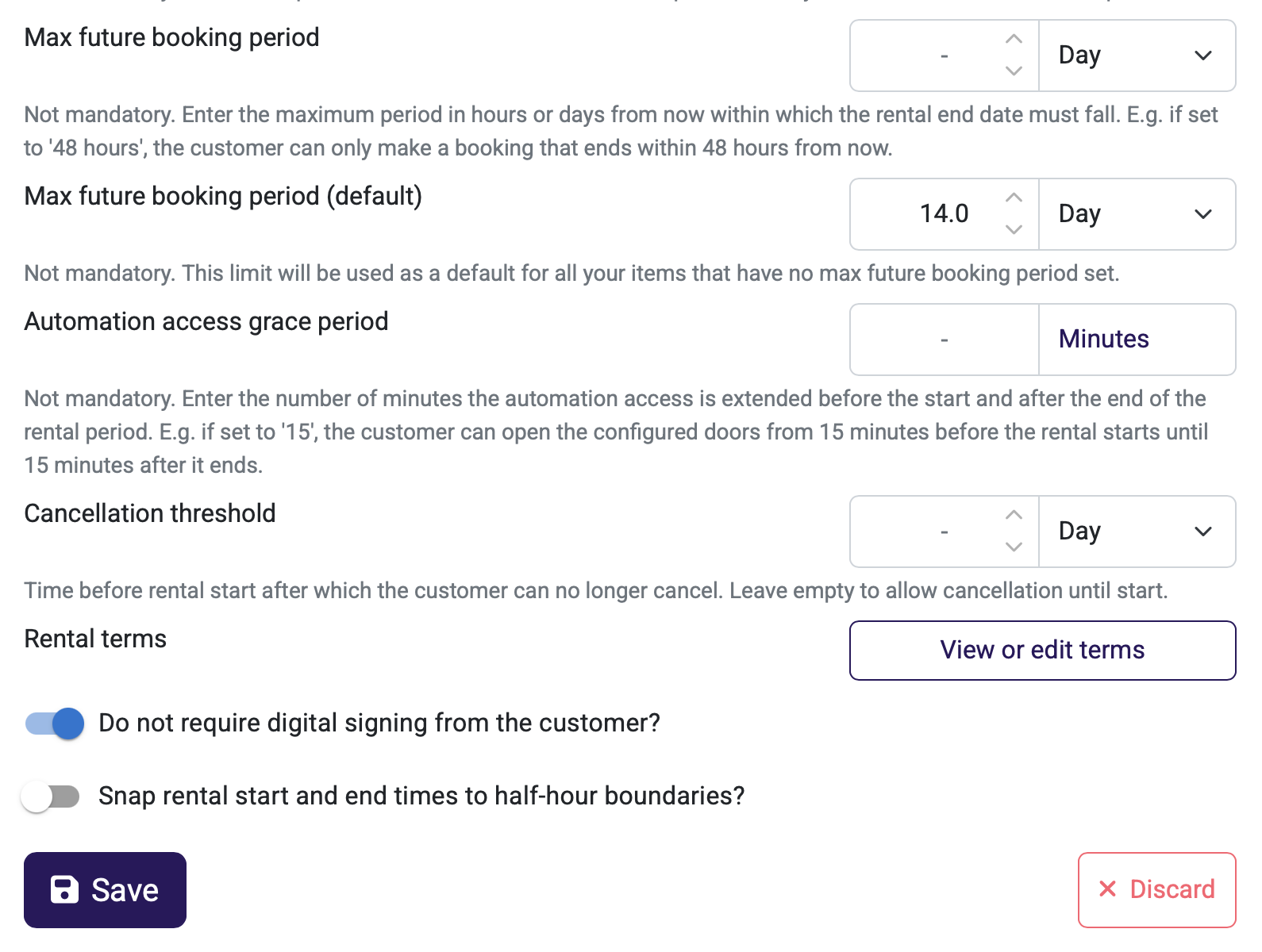



An optional setting has been added to limit how far into the future a customer can place orders.
Enter the maximum period in hours or days — this determines the timeframe from the current moment within which the rental period end date must fall. For example, if you enter “48 hours”, the customer can only make bookings up to 48 hours into the future. If you enter “14 days”, the customer can make bookings up to 14 days in advance, but no further.
NB! When specifying in days, the time is still calculated with hourly precision — exactly 14 24-hour periods. For example, if it is 3:00 PM today, a booking cannot be made for 4:00 PM 14 days from now, but it can be made for 2:00 PM.
This can be configured on two levels:
- For a specific rental product — applies only to that product
- Default for all products — applies to all rental products for which no separate limit has been set
Why this is important:
- Prevents situations where customers make bookings too far into the future, which makes planning and availability management more unclear for the entrepreneur
- Gives the entrepreneur control over their booking window — especially suitable for those who wish to keep bookings within the near future (e.g., seasonal services, limited resources)
- Flexible configuration — can be applied globally or separately for each product as needed
Who benefits from this:
For companies that want better control over booking planning and to avoid bookings made too far in advance, which are often uncertain — e.g., services of a seasonal nature, renters with limited equipment.
How to use:
The setting is optional and can be found in the product settings under Rental terms & restrictions. Enter the desired maximum advance rental period in days or hours — either for a specific product or as a default value for all. If left empty, no restriction will be applied.